This site uses Hugo, with the Congo team. I won’t bother you on how to use Hugo, write articles in markdown format, or how to configure your theme; there are already good articles online (Congo theme documentation was a good start for me, and in a day, everything was online)
The key for me is simplicity and using what I know best. This side blog is a personal learning project, but I don’t want to focus on the tools I use to write. I need to get the job done and have time to learn other things and write articles, so here it is: the basic exercise you do when you approach AWS Cloud Managed services is really something you can do. For Hugo, you need to pay attention to a peculiar feature of CloudFront and S3: the default page (index.html) is valid only for the root of your website, not for the “subfolders” (do you know that the concept of folder does not exist in S3, right? If you don’t know, S3 has a flat namespace). So, if you deploy your website after configuring these two services, you’ll find out that only the homepage works, and if you click on an article in a subfolder, you will get the dreaded “No such key” error. We will see how to fix this issue with CloudFront functions later.
You can use the solution from AWS for a quick deploy, or follow this tutorial if you are not familiar with CloudFormation and you want to learn how to use the AWS Console
Once you have your website configured, we will need to add a tiny part.
Configure the CloudFront function to make Hugo subdirectories work #
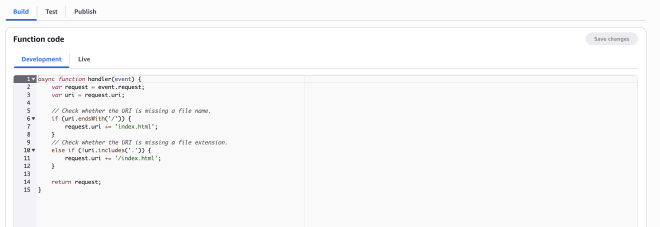
CloudFront doesn’t behave as Apache or Nginx, so it will search for index.html only on the “root” of your website, giving a “keynotfound” error if you try to access a subdirectory (like /blog/categories). Lucky for us, CloudFront Functions exist and can help. AWS already has a repository for standard use cases. Pro tip: explore the aws-samples repositories full of hidden gems. We will use the URL rewrite to append index.html to the URI for single page applications example. Here’s the code, for simplicity:
asyncfunctionhandler(event){varrequest=event.request;varuri=request.uri;// Check whether the URI is missing a file name.
if(uri.endsWith('/')){request.uri+='index.html';}// Check whether the URI is missing a file extension.
elseif(!uri.includes('.')){request.uri+='/index.html';}returnrequest;}
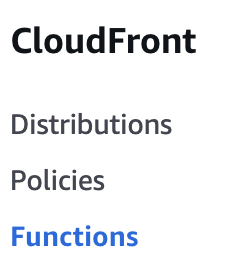
Go to the CloudFront console, select “CloudFront functions from the left menu. .
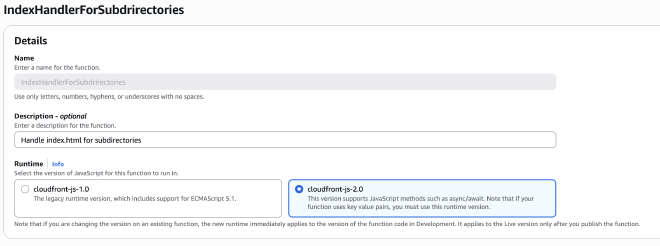
Create the function, give it a name, a description, and select 2.0 as the JS version.
Paste the function code.
Publish the code
Associate the CloudFront Function with your website #
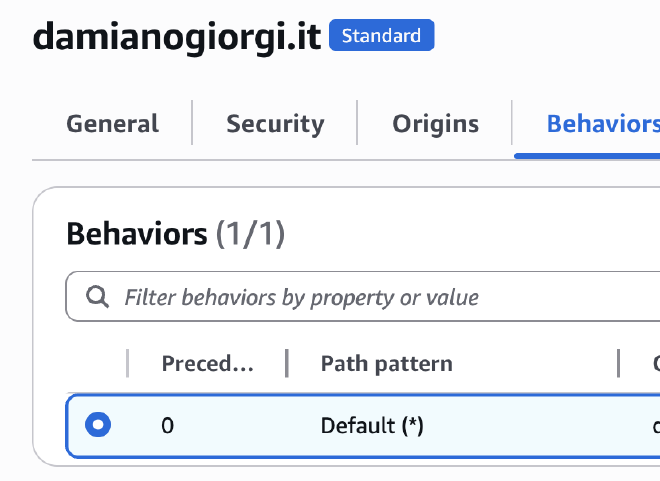
On the CloudFront console, select your distribution and click on the behaviors tab
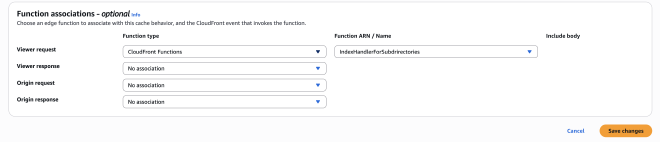
Select the “Default” (it should be the only one), click “Edit”, and go to the bottom of the page. Select the “Viewer request”, select “CloudFront function from the dropdown menu, select your function
You can use a pipeline, like GitHub Actions or CodePipeline. I prefer the “old and dirty” method: sync files
Since I don’t write every day, I don’t feel the urge to have an automatic deployment mechanism, so to update my website, I run:
hugo publish
aws s3 sync --delete static/ s3://mywebsitebucket/
This will sync (a la rsync) my content to the S3 Bucket, deleting old assets, and I’m all set! Lazy, but it works!